Bring your materials together
Add PDFs, textbook sections, syllabi, notes, website text, video links, and calendar files. Photograph printed pages and correct the extracted text before saving.
BUILT BY A MEDICAL STUDENT. FOR EVERY STUDENT.
The materials. The deadlines. The life happening in between. Studyframe brings them into a detailed plan—so you can spend less time organizing and more time studying.
iPhone & Android beta · Planned store price: $9.99 once

High school & dual credit
College & graduate study
Professional & board exams
FROM MATERIALS TO MOMENTUM
Use the resources you already own. Choose what matters. Review your plan before anything is added to your schedule.
Add PDFs, textbook sections, syllabi, notes, website text, video links, and calendar files. Photograph printed pages and correct the extracted text before saving.
Plan for CBSE and Step 1 together, an MD and a master’s, or high school and dual-credit courses. Each goal keeps its own deadline and topics.
Keep classes, work shifts, meetings, family activities, and vacations in view. Choose a light, normal, heavy, or off day. All goals share one realistic study limit.
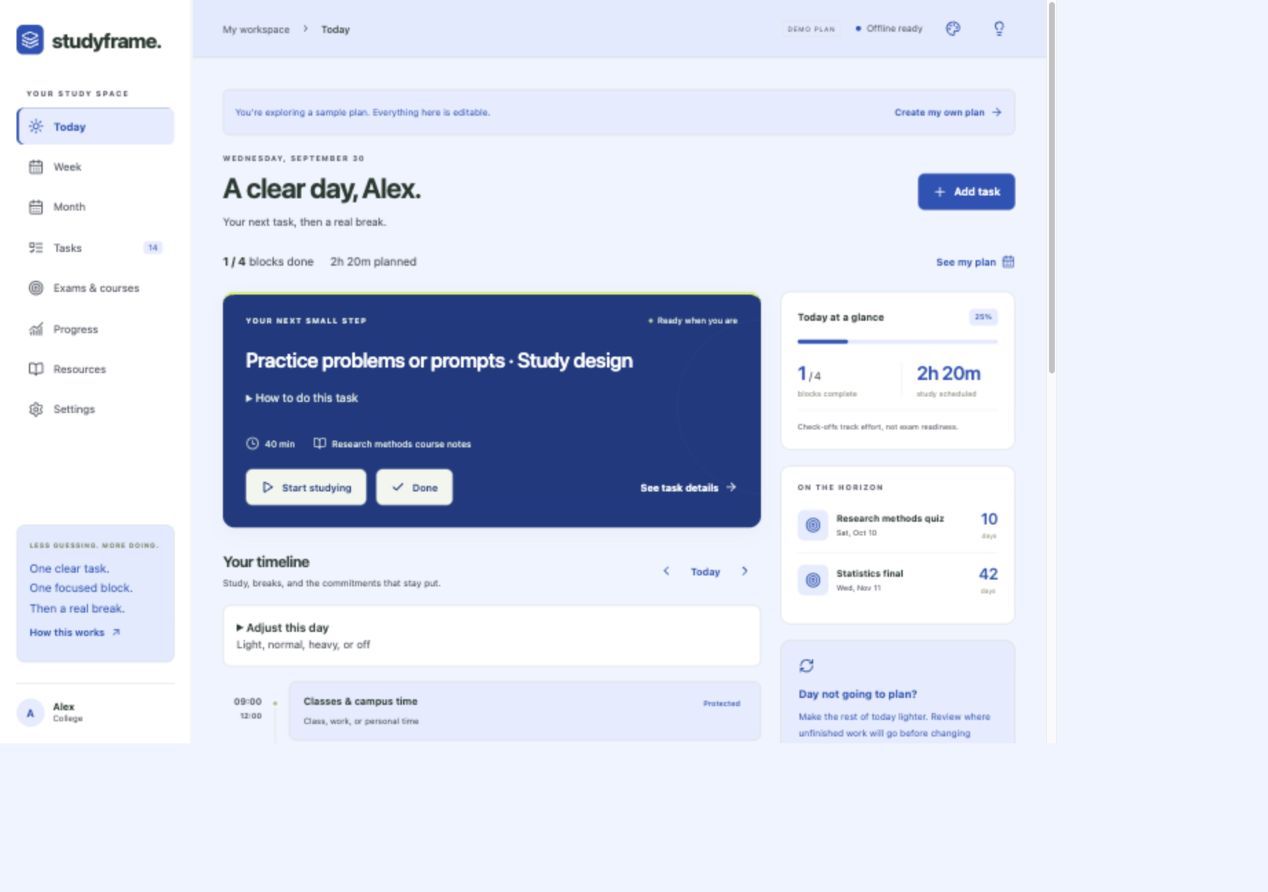
Follow timed tasks, resource locations, practice targets, and breaks. Check off completed work and see how your week and month fit together.
SEE THE WORKFLOW
See how Studyframe connects your own material with a plan you can follow. This narrated tour shows a sample beta workspace.
Includes narration and optional English captions. Some screens show an earlier beta version.
MORE STUDYING. LESS SEARCHING.
Add the topics, chapter names, page ranges, or video links you want to use. Studyframe can match those indexed details to your tasks and keep the source next to the work.
Your question-bank target + your uploaded textbook page references + your saved explanation video, together in the day’s study tasks.
Exact pages and videos depend on the material and links you provide. Studyframe does not log into paid question banks or automatically unlock their content. Suggested matches need your review.
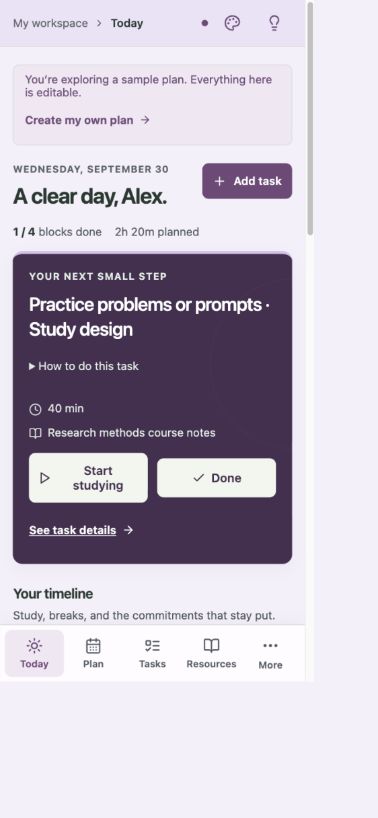
Pastel, bright, bold, dark, seasonal, and holiday themes. Comfortable reading sizes and a quieter Today view.
THE APP COLLECTION
Studyframe is the first app from Babson Student Tools. Future apps will appear here when they’re ready.
IN BETAA detailed daily planner for your courses, exams, resources, and real-life commitments.
App Store and Google Play purchases are not available yet. The browser planner currently saves your work on this device.
Have a task that takes time away from learning? Share the problem and help shape what comes next.
Share an ideaSTUDY NOTES
Planning workflows for medical school and beyond. Open a note for a concrete way to put it into practice.
A nearer quiz and a later comprehensive exam need separate deadlines. Giving them one date hides the work that is urgent.
Keep your study limit realistic. If the work does not fit, adjust the scope or available time; leave unfinished work visible.
“Review renal” is hard to finish. A question’s missed mechanism gives you a more concrete target.
Check-offs record completed effort. Use your course requirements and practice assessments to evaluate preparation.
You do not need a digital copy of every book to plan your reading.
A cover can help you look up a book’s title or reading options. It does not supply the book’s full contents or guarantee a free PDF.
THE PERSON BEHIND THE TOOLS
I’m Vernon Nathaniel Babson, a medical student building practical tools for students who have a lot to learn and limited time to organize it.
Studyframe began with medical-school exam preparation. The same need shows up in high school, dual-credit classes, college, graduate programs, professional training, and homeschooling: make the workload concrete, put it in a realistic day, and keep track of the work.
Contact Babson Student ToolsBEFORE YOU BEGIN
Students from homeschool and high school through college, graduate, and doctoral programs. It can organize course exams, midterms, finals, entrance tests, and professional or board-exam goals—including MCAT, CBSE, USMLE, NCLEX, NAPLEX, NREMT, SAT, ACT, and the bar exam. You supply the actual dates, objectives, and resources for your program.
Yes. The browser planner works on laptops, MacBooks, and tablets, and the mobile beta is available through approved testing invitations. Data is local to each device. Use Transfer workspace to move your plan and selected original files between devices; automatic cloud sync is not currently included. Moving a workspace replaces the destination planner after review.
You can save school and study-account shortcuts and import exported course or calendar information. Those shortcuts do not automatically read a Canvas, Moodle, Blackboard, or question-bank account. AI is optional: export a planning brief, use your chosen assistant, then import and review its structured response. Studyframe currently does not call an AI service or ask for an API key.
No. Studyframe organizes the work you enter; it does not guarantee grades or passing scores. Review your full syllabus and official exam objectives, correct suggested matches, and assess your preparation with appropriate practice work.
After a new testing version becomes available, iPhone testers update through TestFlight and Android testers update through Google Play. Automatic updates depend on the tester’s settings. Update the existing app rather than uninstalling it, and keep a workspace backup of important work. See Apple’s TestFlight guidance and Google’s app-update instructions.
The business pages do not have advertising trackers, a mailing-list form, or an account login. The browser planner stores your study information on your device. Hosting providers may process ordinary technical requests. Contacting support opens your email app; include only information you want to share. Read the planner’s privacy information for its file and optional-service behavior.
START WITH THE DAY YOU HAVE
Local storage. No account required.